
Overview
Voicemail Saver & Text Backup is a mobile archiving app for iOS and Android that moves voicemails, text messages, contacts, photos, videos, audio files and documents from a phone into cloud storage. It targets individuals and professionals who need to preserve important messages beyond carrier or device storage limits and retrieve them from other devices. The service is offered by VoicemailSaver.com, a Sound Feelings Publishing subsidiary that states it has operated in voicemail backup since 2001. Basic service is free; advanced capacity is sold as a monthly subscription.
Key Features
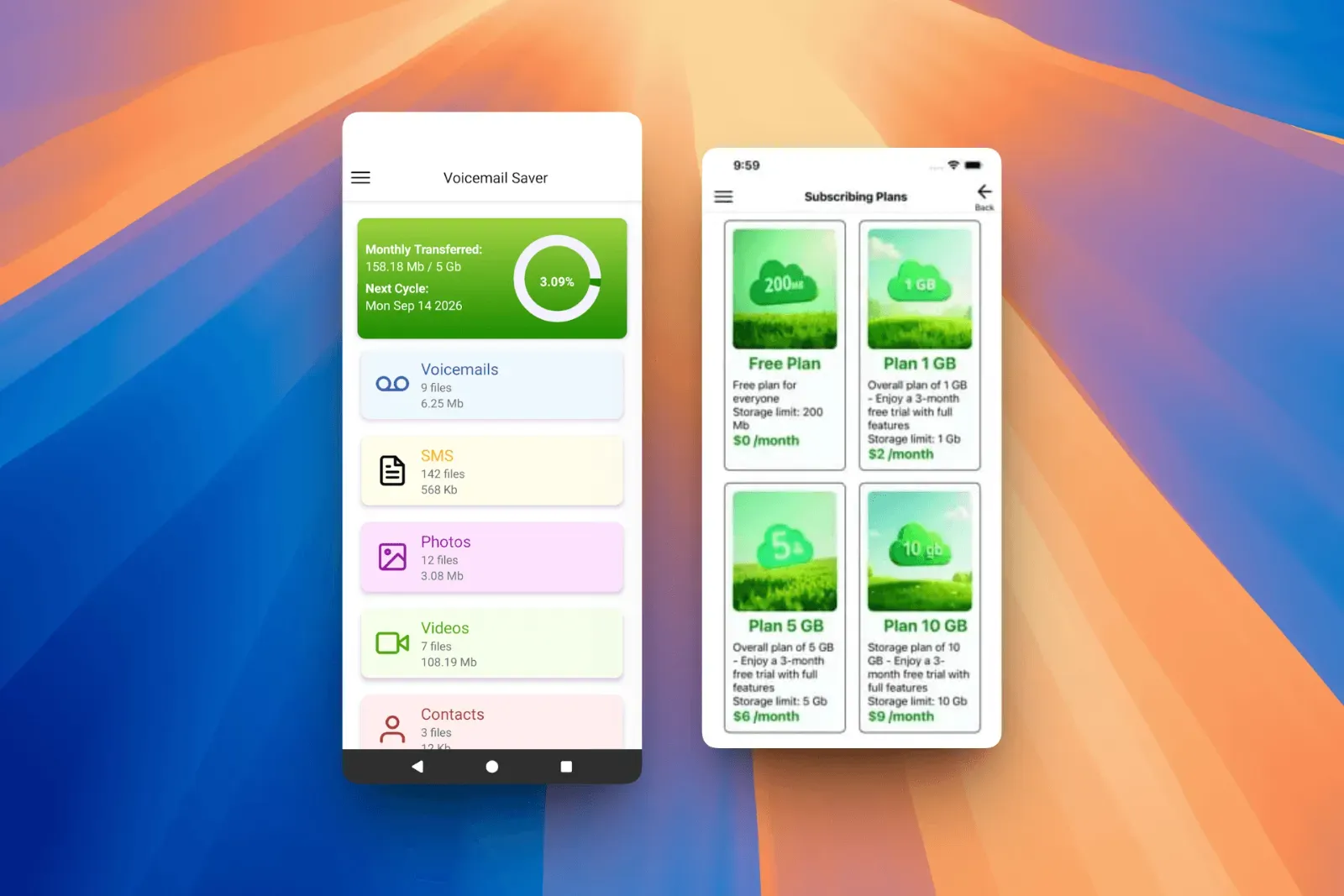
- Multi-format backup: Consolidates voicemail, SMS, contacts, photos, videos, audio and documents in one archive workflow rather than separate utilities.
- Cloud storage and cross-device download: Files are stored in a secure cloud location and can be downloaded to another device; the site says no cables or PIN codes are required.
- Storage cleanup: After backup confirmation, users can delete items from the phone to make room for new messages.
- iOS and Android apps: Native apps are linked from the App Store and Google Play, with a web account login at app.voicemailsaver.com.
- Tiered service model: A free base tier is available, with paid monthly plans based on usage; all tiers are promoted as free for three months, and the site recommends the 10GB tier during evaluation.
- Permanent archival focus: Designed for keeping important messages long term rather than only transient device storage.
Use Cases
- Personal message preservation: Useful for saving family voicemails, sentimental texts, photos and videos that would otherwise be lost when switching phones or clearing storage.
- Small-business and independent professionals: Can archive client communications, call recordings and documents for reference, though compliance-specific retention features are not detailed.
- Device migration and storage relief: Helps users move files to a new phone or free up space after confirming cloud backup.
- Low-friction backup for non-technical users: The app-centered workflow and absence of cable/PIN requirements suit users who prefer a simple mobile process over manual desktop transfers.