Introduction
BlurFacePhotos is a free online tool for blurring, pixelating, or hiding faces in photos and videos. Unlike many similar services, it performs all face detection and processing directly in the browser, meaning your images are never uploaded to a server. This privacy-first design makes it a practical choice for journalists, creators, and businesses that need to anonymize visual content without compromising sensitive data. The tool supports multiple effects, area selection, batch processing, and even video face tracking, all without requiring an account or installation.
Key Features
BlurFacePhotos bundles a surprisingly comprehensive set of features into an uncluttered web interface:
- Multiple Redaction Styles – Users can choose from blur, pixelate, mosaic, black or white bar, noise, color-invert, and emoji overlays. Each style can be applied to the whole face, eyes only, or mouth area with a single click.
- Local Processing – Face detection and blurring happen entirely in the browser using client-side JavaScript. No media is uploaded, which is a major differentiator from cloud-based competitors.
- Batch Photo Editing – The free tier allows batch processing of up to five images at once, while Premium removes that cap entirely. This is particularly useful for workflows involving multiple group photos or archival material.
- Video Face Tracking – The Video tab (Premium) automatically tracks faces across every frame of an MP4 or MOV file and applies the selected style throughout the entire clip. The output is exported as an anonymized WebM file without needing external editing software.
- Live Camera Mode – A camera mode can blur faces in real time, useful for privacy-conscious streaming or video calls, though the website does not clarify export capabilities for this mode.
- No Watermark or Sign-Up – Photo processing is free and watermark-free indefinitely. No account is required for basic use, lowering the barrier for quick edits.
- GDPR-Friendly Architecture – The claim that nothing leaves the device aligns with GDPR compliance, making the tool viable for European teams and organizations dealing with personal data.
- API & Business Plans – A planned REST API aims to support bulk photo and video processing for enterprise users, with pay-as-you-go credits and commercial licensing.
How It Works
The core workflow is straightforward: open the editor, drop an image or video, select the area to redact (face, eyes, or mouth), choose an effect (blur, pixelate, black bar, etc.), and download the result. The interface is split into Image, Camera, and Video tabs, with the Video tab gated behind a Premium subscription.
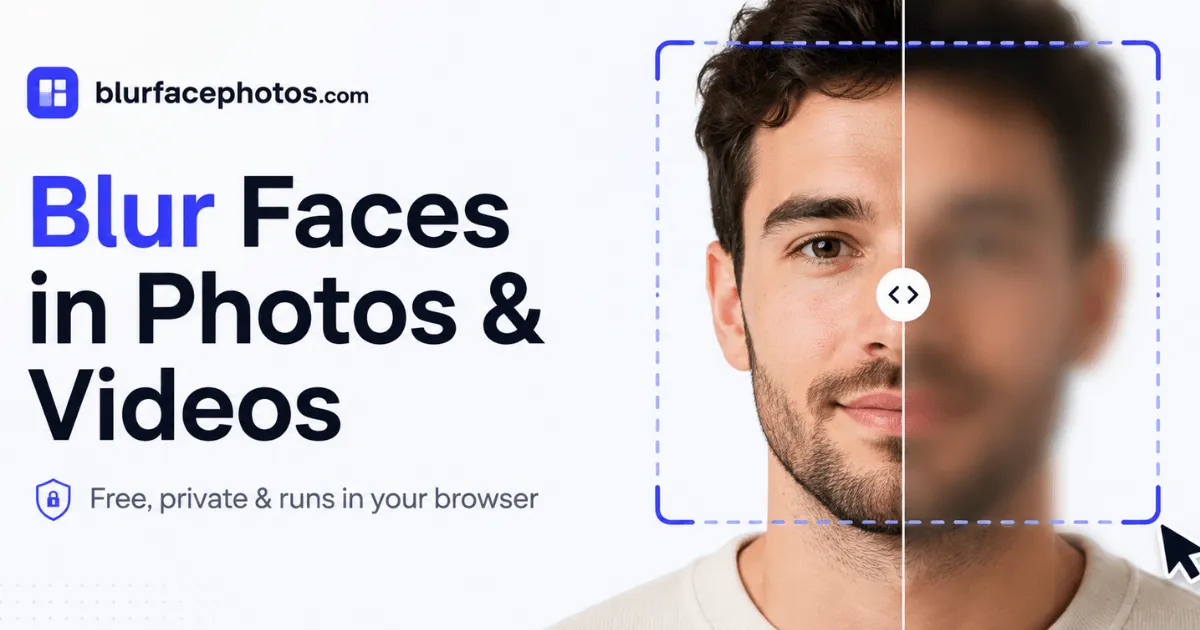
For images, drag-and-drop or click-to-upload opens the file in the browser. Automatic face detection identifies up to five faces per image, and users can toggle which areas to target. For videos, every frame is processed locally, with faces tracked and blurred consistently across the timeline. The entire experience feels like a modern web app — responsive, no reloads, and minimal friction. Notably, the website provides a before/after comparison slider on the landing page, demonstrating the effectiveness of different styles.
One of the most compelling aspects is the absence of upload indicators. A comparison table on the site highlights that typical online tools often upload photos to servers, whereas BlurFacePhotos does not. This trust-building approach is reinforced by clear messaging and a straightforward privacy policy.
Use Cases
BlurFacePhotos is designed for a broad audience:
- Journalists & Activists – Protecting sources and bystanders in protest footage or news photography can be done quickly without exposing materials to third-party servers.
- Content Creators & Social Media Managers – Anonymizing faces in group photos, street interviews, or user-generated content before publishing is a common need. The batch feature speeds up high-volume workflows.
- HR & Legal Teams – For internal decks or GDPR compliance, redacting employee photos in training materials or case files can be handled in-house.
- Educators & Researchers – When sharing classroom photos or research images, blurring identifiable faces is often required by ethical guidelines.
- Event Photographers – Group photos with multiple attendees can be anonymized for public galleries, with up to five faces detected per image in the free tier.
- Businesses – For marketing materials or customer testimonials, the tool offers a quick way to obscure identities while maintaining visual appeal.
The planned API suggests future applicability for large-scale redaction tasks, such as news agencies processing archival video or healthcare organizations anonymizing patient photos (though the website does not explicitly target HIPAA).
Pricing & Value
BlurFacePhotos uses a freemium model:
- Free – $0, ad-supported. Includes unlimited photo blur/pixelate/censor with up to 5 faces per image, no watermark, batch up to 5 photos, and no upload.
- Premium – $4.99/month billed yearly or $8.99/month monthly. Removes ads, unlocks video export, unlimited batch processing, full-HD and 4K video export, commercial-use license, and access to all effects and areas.
- API & Business – Planned at $49, offering a REST API with pay-as-you-go credits, bulk processing, and priority support.
The free tier is genuinely useful for photo-only workflows, and the Premium pricing is competitive with standalone privacy tools. The lack of a free trial for video and the absence of MP4 export (WebM only) may be limitations for some users, but the pricing page is transparent about these features.
Final Verdict
BlurFacePhotos stands out in a crowded field of "blur face" tools thanks to its strict no-upload policy, which is a major privacy advantage for both individuals and organizations. The feature set is well-rounded — blur, pixelate, black bar, emoji, eye-only, and video support — and the user experience is smooth and modern. The free tier is generous for photo editing, while Premium unlocks video and additional automation without breaking the bank.
However, the five-face limit in the free tier and the WebM-only video export may frustrate some users, and the API is still in planning stages. For anyone who frequently anonymizes photos and values privacy, BlurFacePhotos is a worthy addition to the bookmark bar. The features overview and API documentation provide further details for those evaluating it for professional use. Overall, this is a highly practical tool that delivers exactly what it promises — private, browser-based face blurring.