
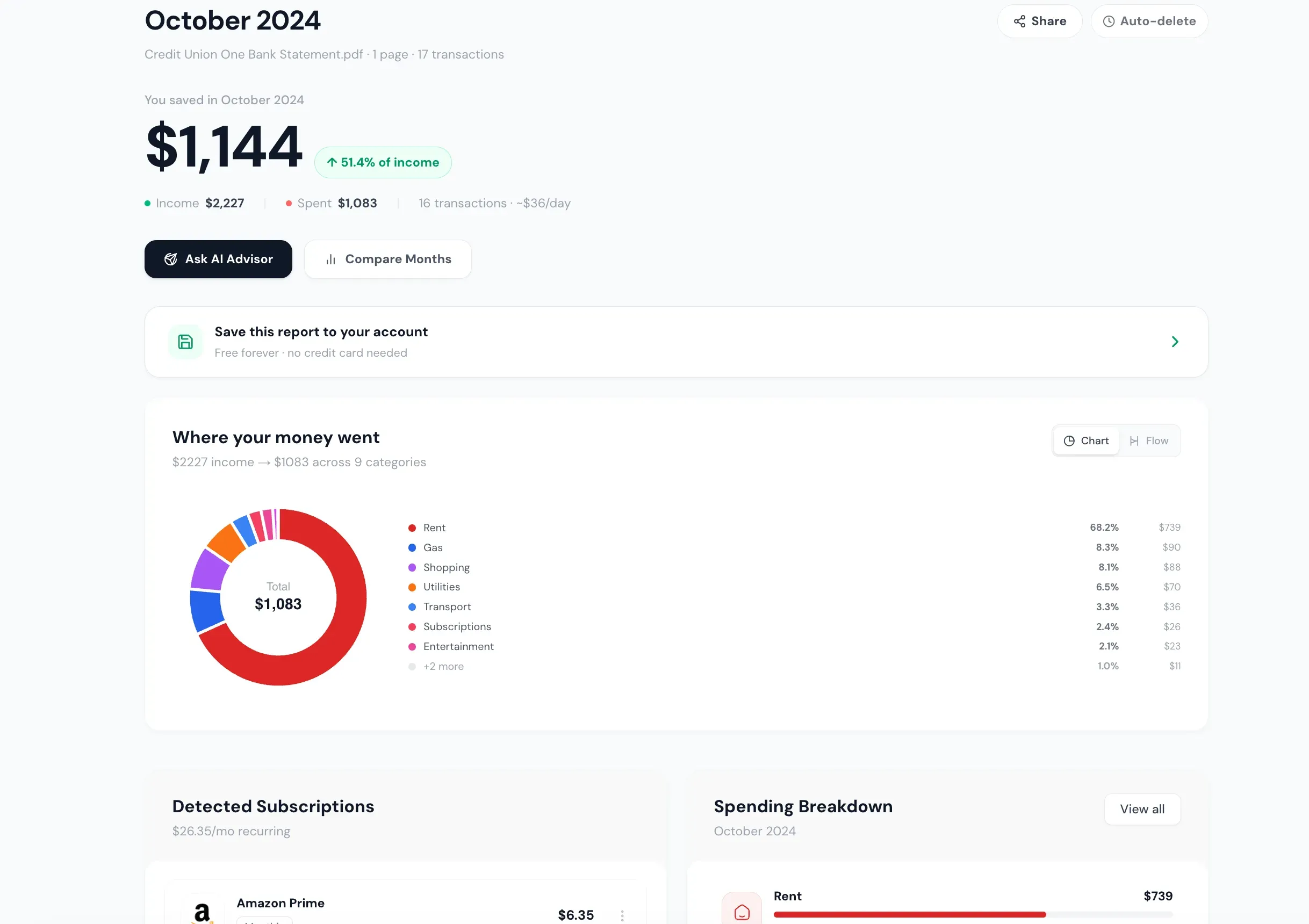
mybankstatementanalysis turns any bank statement PDF into a clear, visual spending breakdown in about 30 seconds — no manual work, no spreadsheets, no linking your bank account.
How it works: Upload your bank statement PDF (from any bank worldwide). Our AI reads every transaction, identifies the merchant, and categorizes it into spending categories like housing, groceries, dining, transport, subscriptions, and shopping. You get:
- Sankey money flow chart — a visual diagram showing exactly where every dollar flows from income to spending categories
- AI transaction categorization — 19 spending categories, automatically assigned
- Subscription detection — recurring charges flagged so you can find and cancel forgotten subscriptions
- Savings tips — AI-generated recommendations specific to your actual spending patterns
- Financial health score — an instant snapshot of where you stand
- Export to 6 formats — CSV, Excel, QIF, OFX, QBO, and IIF for accounting software
Who it's for: Anyone who wants to understand their spending without the hassle of manual tracking. Whether you're prepping for a loan, doing a monthly money audit, or just wondering "where does my money go?" — upload your PDF and find out in seconds.
Privacy-first approach: Your uploaded PDF is processed in memory and never stored. Only categorized transaction data is saved — and it auto-deletes after 7 days for anonymous users. We never sell or share your financial data.
Pricing: Free for 3 PDF pages/month (no account needed). Basic plan at $9/mo for 500 pages. Pro at $19/mo for unlimited pages with advanced features like statement translation, redaction, and fraud detection.
Built with Next.js, React, and Google Gemini AI. Works with scanned and text-based PDFs from any bank — Chase, Bank of America, Revolut, HSBC, SBI, and hundreds more.